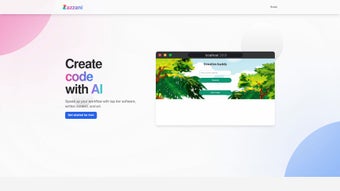

Download Zazzani – AI Writing Assistant for Faster, Multilingual Content Creation
Overview of Zazzani
Zazzani is a web‑based AI writing assistant built to supercharge productivity for writers, developers, entrepreneurs, and anyone who regularly drafts digital content. Powered by the latest large language models, Zazzani can turn a simple idea into a polished article, craft professional emails, generate cover letters, and even debug code in real time. Its multilingual engine removes language barriers, allowing users to write fluently in over 30 languages without switching tools.
The platform also features a contextual “Buddy” mode that acts like a pair‑programmer, offering line‑by‑line suggestions and instant explanations for coding problems. Whether you’re brainstorming a startup pitch, polishing a research paper, or needing quick answers to technical questions, Zazzani delivers concise, accurate responses tailored to the context you provide. While it currently requires an internet connection and offers limited UI customization, its intuitive dashboard, responsive design, and integration‑ready API make it a compelling addition to any productivity stack.
Zazzani’s blend of content creation, idea generation, and code assistance positions it as a versatile, all‑in‑one companion for modern knowledge workers seeking a secure, cloud‑based solution that updates automatically.
Key Features & How to Use Zazzani Effectively
Core Feature List
- AI‑generated long‑form articles, blog posts, and marketing copy.
- Instant email and cover‑letter drafting with tone‑control options.
- Multilingual support for 30+ languages, including real‑time translation.
- Context‑aware Q&A that pulls relevant information from your prompts.
- ‘Buddy’ pair‑programming mode for code debugging, syntax suggestions, and documentation.
- Idea‑generation engine for business concepts, product names, and creative story prompts.
- Secure cloud storage of drafts with automatic versioning.
- Integrations via API for Slack, Notion, and GitHub.
- Regular model updates that keep the AI knowledge base current.
Installation & Getting Started
Zazzani is delivered entirely through a web interface, so there is no traditional installation process. To start, visit zazzani.com, create a free account, and verify your email. The dashboard loads in seconds on any modern browser. For power users, an optional browser extension (available for Chrome and Edge) places a floating “Zazzani” button on any webpage, enabling on‑the‑fly content generation without leaving your current tab.
Compatibility & System Requirements
Because Zazzani runs in the cloud, it is compatible with Windows, macOS, Linux, Android, and iOS devices. The only requirement is a stable internet connection and a browser that supports WebAssembly (Chrome, Firefox, Safari, or Edge, version 90+). The mobile app, released for both Android and iOS, offers the same feature set with a touch‑optimized UI, ensuring you can write or debug code on the go.
Best Practices for Maximizing Productivity
To extract the most value, start each session by defining the desired outcome in a clear, concise prompt. For example, “Write a 500‑word blog post on sustainable remote work practices, targeting HR managers, in a friendly tone.” Zazzani’s AI will then structure headings, sub‑headings, and key points automatically. When using the Buddy mode, paste a snippet of code and ask a specific question (“Why does this Python loop raise a TypeError?”).
The assistant will highlight the problematic line, suggest a fix, and explain the underlying concept, making learning part of the debugging flow. For multilingual tasks, set the target language in the top‑right dropdown; Zazzani will translate while preserving style and idiomatic expressions. Finally, leverage the API to embed Zazzani’s capabilities into your internal tools, creating custom workflows such as auto‑generating meeting minutes or populating product documentation directly from pull‑request comments.
Pros and Cons of Zazzani
What Users Love
- All‑in‑one solution: writing, translating, and coding assistance in a single platform.
- Fast, context‑aware responses that reduce research time.
- Robust multilingual engine, ideal for global teams.
- Pair‑programming Buddy mode eliminates the need for a second developer for quick fixes.
- Regular AI model updates keep knowledge current without user intervention.
- Secure, cloud‑based storage with version history protects work.
- Free tier available, with affordable premium plans for heavy users.
Areas for Improvement
- No offline mode – a constant internet connection is mandatory.
- Limited UI customization; power users may miss advanced theming options.
- API rate limits on the free plan can restrict high‑volume automation.
- While multilingual, some niche dialects still receive less accurate translations.
- Advanced code refactoring features are still in beta and may produce occasional false positives.
Zazzani earns a solid four‑star rating for its breadth of features and seamless cloud experience, despite the lack of offline capability.
Conclusion, FAQ, and How to Get Started
Overall, Zazzani stands out as a versatile AI writing assistant that bridges the gap between content creation, multilingual communication, and developer productivity. Its web‑based architecture ensures you always have the latest AI improvements, while the Buddy mode provides a lightweight yet powerful coding companion. For freelancers, marketers, and development teams looking to streamline daily tasks, Zazzani offers a free entry point with enough depth to justify a paid upgrade as needs grow. The primary trade‑off remains the requirement for an internet connection and modest customization options, but for most professionals the time saved far outweighs these limitations.
Ready to boost your output? Create a free account today, explore the feature set, and see how Zazzani can turn ideas into polished deliverables in seconds. If you need a more robust deployment, the premium plan adds higher API limits, priority support, and early access to upcoming features like advanced code refactoring and custom branding.
Frequently Asked Questions
Is Zazzani really free to use?
Yes, Zazzani offers a free tier that includes unlimited text generation, multilingual support, and basic Buddy debugging. Premium plans unlock higher usage limits and advanced features.
Can I use Zazzani on my mobile device?
Absolutely. Zazzani provides native Android and iOS apps that mirror the web experience, allowing you to write, translate, and debug code from anywhere.
How secure is my data on Zazzani?
All drafts are stored with AES‑256 encryption and transmitted over HTTPS. Zazzani complies with GDPR and CCPA, ensuring your personal and corporate information remains private.
Does Zazzani support code languages beyond Python?
Yes, Buddy mode understands JavaScript, Java, C#, Ruby, Go, and many others. It can suggest syntax fixes, explain errors, and even generate boilerplate snippets.
What happens if I lose internet connectivity?
Because Zazzani runs in the cloud, an active connection is required. Drafts saved locally in the browser will sync automatically once you’re back online.



.png)



